
Are you spending money on Google Ads but getting fewer leads than you expected? Learning how to reduce Google Ads cost per lead can help your business get more value from its advertising budget.
Many small businesses in Delhi NCR face this problem. They get clicks, but those clicks do not always turn into calls, form submissions, or sales enquiries.
The solution is not always to lower your bids or cut your budget. You also need to attract the right people, write useful ads, and make it easy for visitors to contact you.
In this guide, you will learn nine simple ways to improve your Google Ads campaigns and work towards a lower cost per lead.
Table of Contents
- What Is Google Ads Cost Per Lead?
- Why Is Your Cost Per Lead High?
- 9 Ways to Reduce Google Ads Cost Per Lead
- How to Track Your Results
- Common Mistakes to Avoid
- Final Thoughts
- Frequently Asked Questions
What Is Google Ads Cost Per Lead?
Cost per lead, or CPL, is the average amount you spend to get one lead from your ads.
A lead is someone who shows interest in your business. This could be a person who:
- Fills out your contact form.
- Calls your business.
- Requests a price quote.
- Books a consultation.
- Sends an enquiry about your service.
You can calculate cost per lead with a simple formula:
Cost per lead = Total ad spend ÷ Number of leads
For example, imagine your business spends ₹10,000 on Google Ads and receives 20 leads.
Your cost per lead is ₹500.
If you spend the same amount and receive 40 leads, your cost per lead becomes ₹250.
This is why tracking both your ad spend and your leads is important. Google Ads reports cost per conversion, which can help you measure this result when your lead actions are tracked correctly.
Why Is Your Cost Per Lead High?
Your Google Ads cost per lead may be high for several reasons.
- Your ads show for searches that are not relevant to your service.
- Your keywords attract people who are only looking for free information.
- Your ad does not explain your offer clearly.
- Your landing page is slow or hard to use.
- Your contact form asks for too much information.
- Your conversion tracking is missing or incorrect.
- Your campaign receives clicks but few qualified enquiries.
Before changing your budget, find out where the problem starts. Is the cost of each click too high, or are too few visitors becoming leads?
This difference will help you choose the right solution.
9 Ways to Reduce Google Ads Cost Per Lead
1. Choose More Relevant Keywords
Keywords help Google understand which searches may match your ads.
If you choose broad or unclear keywords, your ads may attract people who are not ready to buy.
For example, a Delhi-based digital marketing agency may target a phrase such as “digital marketing agency in Delhi NCR” instead of relying only on a broad term such as “marketing.”
Choose keywords that match your services and the needs of your customers.
What to do:
- Focus on keywords related to your actual services.
- Add location terms when you serve a specific area.
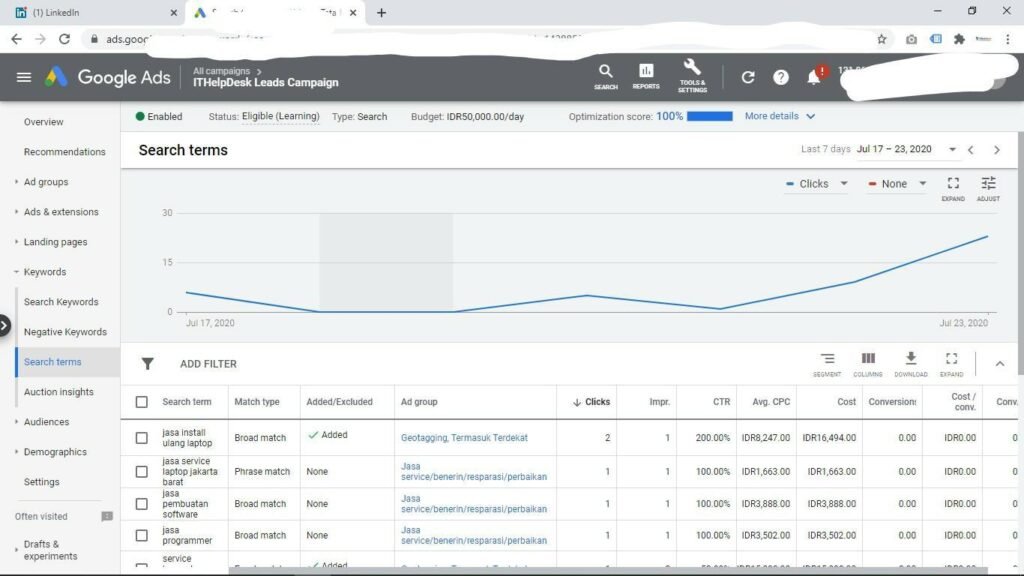
- Review the search terms that trigger your ads.
- Separate different services into relevant ad groups.
A business offering website design should not send every visitor to a page about social media management. Match the keyword to the service.
2. Add Negative Keywords
Negative keywords help prevent your ads from showing for searches that are not useful to your business.
For example, if you sell paid digital marketing services, searches containing words such as “free course” or “jobs” may not match your goal.
You could consider negative keywords such as:
- free course
- jobs
- salary
- internship
- tutorial
These are examples only. Check your search terms before adding them. A word that is irrelevant to one business may be useful to another.
Action step: Open your Google Ads search terms report. Look for searches that spend money but do not match your service. Add suitable negative keywords to reduce unwanted traffic.
Google recommends reviewing search terms and using negative keywords to improve the relevance of your traffic.
3. Improve Your Ad Copy
Your ad should tell people what you offer and why they should contact you.
A vague ad may attract clicks from people who do not understand your service. A clear ad helps set the right expectations.
For example:
Weak headline: Digital Marketing Services
Clearer headline: Digital Marketing Agency in Delhi NCR
You can also explain your service, target location, or next step in the description.
Try to include:
- The service you provide.
- The location you serve, if relevant.
- A clear benefit.
- A direct call to action.
Examples of calls to action include “Request a Quote,” “Book a Consultation,” and “Call Our Team.”
Make sure the claims in your ads are accurate. Do not promise guaranteed rankings or a fixed number of leads unless you can support that claim.
Google recommends matching ad text to keywords and using a clear call to action.
4. Create a Relevant Landing Page
A landing page is the page people reach after clicking your ad.
Sending every visitor to your homepage may not be the best choice. A dedicated page for the advertised service can make it easier for visitors to take action.
For example, an ad for Google Ads management should lead to a page about Google Ads management.
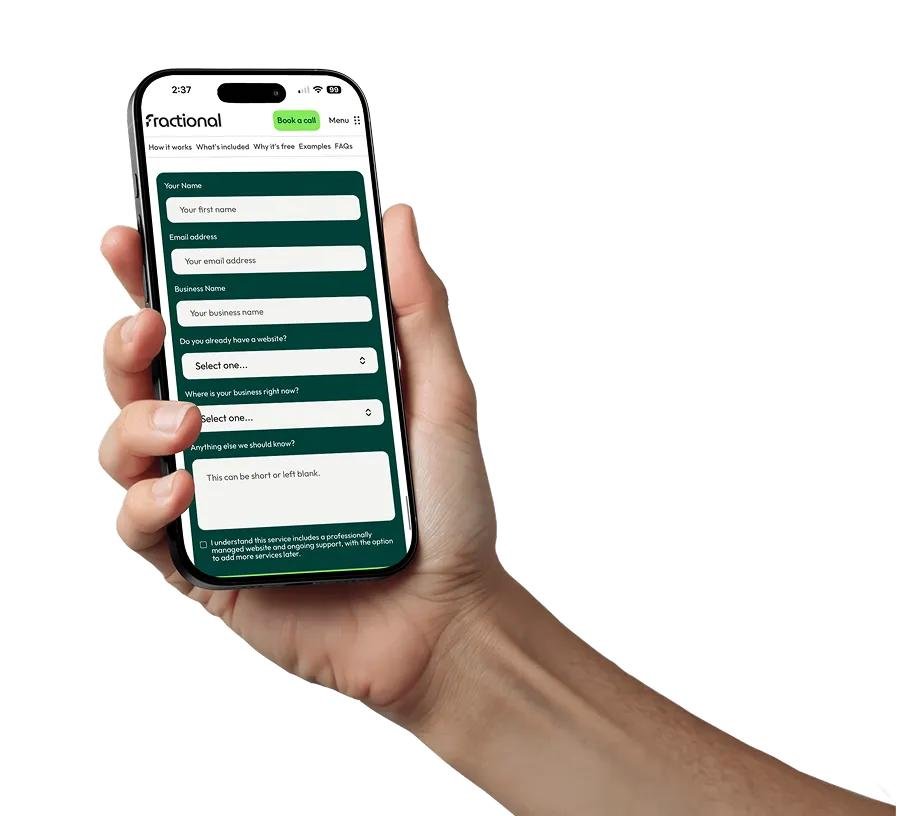
Your landing page should include:
- A clear headline.
- A short explanation of your service.
- The benefits of working with your business.
- A visible phone number or enquiry form.
- Customer reviews or real examples, where available.
- A clear call to action.
Keep the message consistent. If your ad offers a consultation, make that next step easy to find on the page.
Google identifies the connection between your keywords, ads, and landing page as an important part of ad relevance and landing page experience.
5. Make Your Website Easy to Use on Mobile
Many people search for local services on their phones.
If your website is hard to use on a small screen, visitors may leave before contacting you.
Check your landing page on different mobile devices.
Make sure:
- Text is easy to read.
- Buttons are large enough to tap.
- Your phone number is easy to find.
- Forms work properly.
- The page loads without unnecessary delays.
- Important information appears near the top.
For a local business in Delhi NCR, a simple mobile page with a clear call button can make it easier for interested visitors to contact you.
6. Track Calls and Form Submissions Correctly
You cannot improve your cost per lead if you do not know which clicks generate leads.
Set up conversion tracking for the actions that matter to your business.
Depending on your goals, these may include:
- Completed enquiry forms.
- Calls that meet your chosen criteria.
- Booked appointments.
- Qualified leads imported from your sales system.
Avoid counting every page view or button click as a successful lead. A person clicking a phone number is not always the same as a completed, useful conversation.
Check that your tracking works before making major campaign changes. Google Ads conversion tracking helps measure what happens after someone interacts with your ad.
7. Improve Your Quality Score and Ad Relevance
Quality Score is a diagnostic tool in Google Ads. It considers expected click-through rate, ad relevance, and landing page experience.
Use it to find areas that may need attention. Do not treat the score as your main business goal.
To improve relevance:
- Group similar keywords together.
- Write ads that match those keywords.
- Send visitors to relevant landing pages.
- Make your offer clear.
- Review click-through and conversion rates.
Google explains that Quality Score helps diagnose ad quality. It is not itself a direct input in the ad auction.
8. Review Your Bidding Strategy
Your bidding strategy affects how Google uses your budget.
If your goal is to generate leads, conversion-focused bidding may be useful. Options can include Maximize Conversions or Target CPA, depending on your campaign and account setup.
Before using automated bidding, check that:
- Conversion tracking works.
- Your primary conversion actions reflect real business goals.
- You have enough useful conversion data for your situation.
- Your target cost is realistic for your business.
Do not set an extremely low target CPA and expect the system to deliver the same number of leads. Your results depend on competition, demand, budget, and conversion data.
Google describes Smart Bidding as automated bidding that uses auction-time signals to optimize for conversions or conversion value.
9. Review Your Campaigns Every Week
Regular reviews help you spot wasted spend and find areas to improve.
Check these metrics:
| Metric | What it tells you |
|---|---|
| Spend | How much you have spent |
| Clicks | How many people clicked |
| Cost per click | Average cost of each click |
| Leads | Number of tracked enquiries |
| Conversion rate | Share of eligible interactions that convert |
| Cost per lead | Average ad cost per lead |
Look at results by campaign, ad group, keyword, device, and location when the data is available.
For example, if a campaign gets many clicks but few leads, review the search terms and landing page. If one service brings qualified leads while another does not, review each campaign separately.
Avoid changing everything at once. Test one or two changes, then compare results over a suitable period.
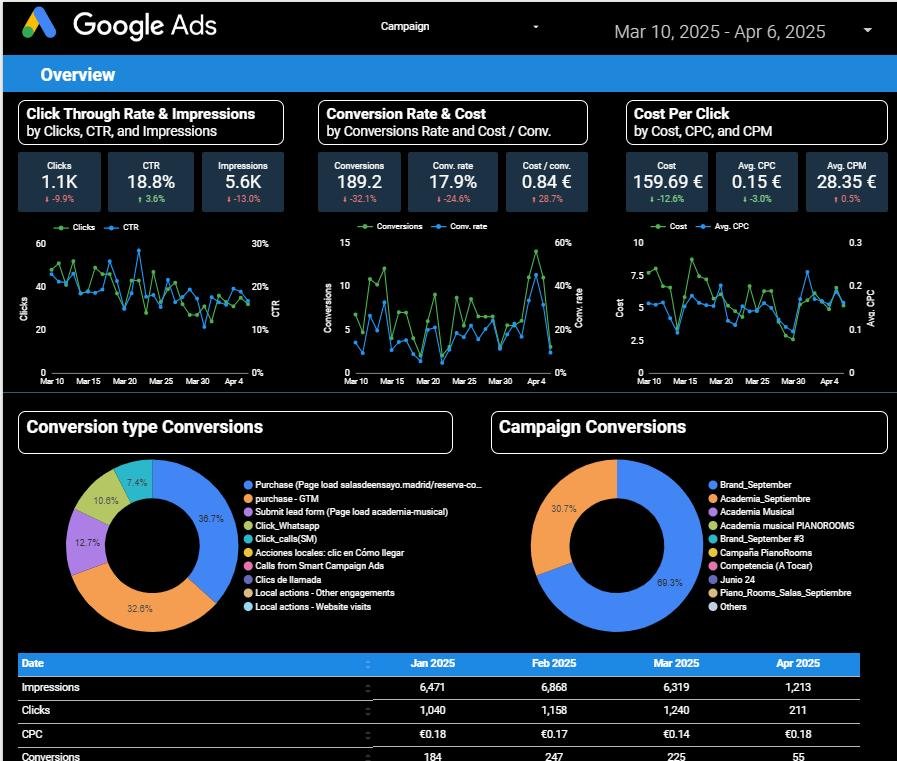
Google Ads provides campaign metrics such as conversion rate, cost, and cost per conversion to help you review performance.
How to Track Your Results
Use a simple monthly report to understand whether your changes are helping.
For example:
| Metric | Before | After |
|---|---|---|
| Ad spend | ₹10,000 | ₹10,000 |
| Leads | 20 | 30 |
| Cost per lead | ₹500 | ₹333.33 |
This is an example, not a promised result. It shows how the cost per lead changes when the same budget generates more leads.
Also review lead quality. Thirty enquiries are not necessarily better than twenty if most of the new enquiries are not relevant or do not become customers.
Common Mistakes to Avoid
Avoid these mistakes when trying to lower your Google Ads cost per lead:
- Choosing keywords only because they are cheap: Low-cost clicks may not come from people who need your service.
- Adding too many negative keywords: You may block useful searches.
- Sending all traffic to the homepage: Visitors may struggle to find the service they want.
- Changing bids every day: Frequent changes can make it harder to understand what is working.
- Tracking the wrong actions: Your reports may show leads that are not real enquiries.
- Ignoring lead quality: A low cost per lead is not useful if the leads do not fit your business.
Focus on getting relevant leads at a cost your business can support.
Final Thoughts
Learning how to reduce Google Ads cost per lead starts with understanding your numbers. Review your keywords, remove irrelevant searches, improve your ads, and make your landing pages easier to use.
Most importantly, track real enquiries and measure their quality. A lower cost per lead can help your business use its advertising budget more effectively, but the right target depends on your service, profit margins, and sales process.
If you need help reviewing your campaigns, Premium Growth provides digital marketing services for businesses in Delhi NCR. Explore our services to learn how we can help you improve your online marketing.
Frequently Asked Questions
1. How can I reduce my Google Ads cost per lead?
Start by reviewing search terms, adding relevant negative keywords, improving ad copy, and making your landing page more useful. Track real leads so you can measure the impact of each change.
2. What is a good cost per lead for Google Ads?
There is no single cost per lead that works for every business. It depends on your industry, location, competition, profit margins, and the value of each new customer.
3. Do negative keywords reduce Google Ads costs?
Negative keywords can help prevent ads from showing for searches that are not relevant to your offer. This may reduce wasted spend, but review each search carefully before excluding it.
4. Does a higher Quality Score always mean a lower cost per lead?
No. Quality Score is a diagnostic tool, not a guarantee of lower costs or more leads. Also review conversion rate, cost per lead, and lead quality.
5. Should I lower my Google Ads budget to reduce cost per lead?
Not necessarily. A smaller budget may reduce total spend, but it does not automatically lower the cost of each lead. First identify whether the issue is expensive clicks, low conversion rates, or poor lead quality.
6. How often should I optimize my Google Ads campaigns?
Review your performance regularly, such as weekly, and make changes based on enough data to understand the results. The right review period depends on your traffic and conversion volume.
