Why Are My Google Ads Getting Clicks but No Leads?
Google Ads clicks but no leads can be frustrating for small business owners. You may be paying for website visitors, but not getting calls, enquiries, or customers. In this guide, you will learn the common reasons and how to fix them.
Are your Google Ads getting clicks, but no one is calling or filling out your contact form? You are not alone. Many small business owners face this problem.
You spend money on ads. People visit your website. But you do not get enough enquiries or sales. This can be costly and frustrating.
The good news is that clicks are only one part of an ad campaign. Your keywords, ad message, website, landing page, and follow-up process can all affect your results.
In this guide, we will explain why Google Ads get clicks but no leads and share nine simple ways to fix common problems. These tips can help small businesses in Delhi NCR review their campaigns and make better use of their ad budget.
What Does It Mean When Google Ads Get Clicks but No Leads?
A click means someone clicked your ad and visited your website or another page. A lead is someone who takes a useful action, such as calling your business, filling out a form, or sending an enquiry.
If your ads get clicks but no leads, people may be interested in your ad but are not taking the next step.
There can be many reasons for this:
- Your ads reach the wrong people.
- Your keywords do not match your service.
- Your landing page is hard to use.
- Your offer is not clear.
- Your contact form has too many fields.
- Your phone number or WhatsApp link does not work.
- Your lead tracking is not set up correctly.
Before you change your campaign, find out where people leave. This will help you focus on the right problem.
9 Reasons Your Google Ads Get Clicks but No Leads
1. Your Ads Are Reaching the Wrong People
Your ads may get clicks from people who are not likely to become customers.
For example, suppose you run a web design company in Delhi NCR. You want to reach business owners who need a new website.
But your ads may show for searches from people who want to learn web design, find a free course, or get a job.
These people may click your ad, but they may not need your service.
How to fix it:
- Review the search terms that trigger your ads.
- Focus on searches related to your services.
- Add negative keywords for searches that are not useful.
- Check your location settings.
- Make sure your ad speaks to your target customers.
For a local business, review whether your campaign reaches the areas you serve, such as Delhi, Noida, Gurugram, or Ghaziabad.
Do not target every location just to get more clicks. Focus on the places where you can serve customers.
2. You Are Using the Wrong Keywords
Keywords help Google understand which searches may match your ads.
If your keywords are too broad, your ads may reach people who are not looking to buy.
For example, a business offering SEO services may use the keyword “SEO.” This can match searches from people who want a definition, a course, a job, or a service.
A more specific keyword, such as “SEO agency in Delhi NCR,” may show a clearer service need.
How to fix it:
Choose keywords that match what you sell.
Examples include:
- Google Ads agency in Delhi NCR
- SEO services for small businesses
- Website design company in Noida
- Lead generation services in Gurugram
Review your search terms often. Add negative keywords when you find searches that do not match your business.
Use keyword match types carefully. They can help control which searches may trigger your ads.
3. Your Ad Does Not Match the Search
People click an ad because they expect it to answer their need.
If the ad promises one thing but the page shows something else, visitors may leave.
For example, a person searches for “Google Ads services in Delhi.” Your ad talks about Google Ads, but the landing page only lists general digital marketing services.
The visitor may not know whether you offer the service they need.
How to fix it:
- Use clear ad headlines.
- Mention the service you offer.
- Include your service area when useful.
- Make sure the landing page matches the ad.
- Explain what the customer should do next.
Your ad and landing page should tell the same story.
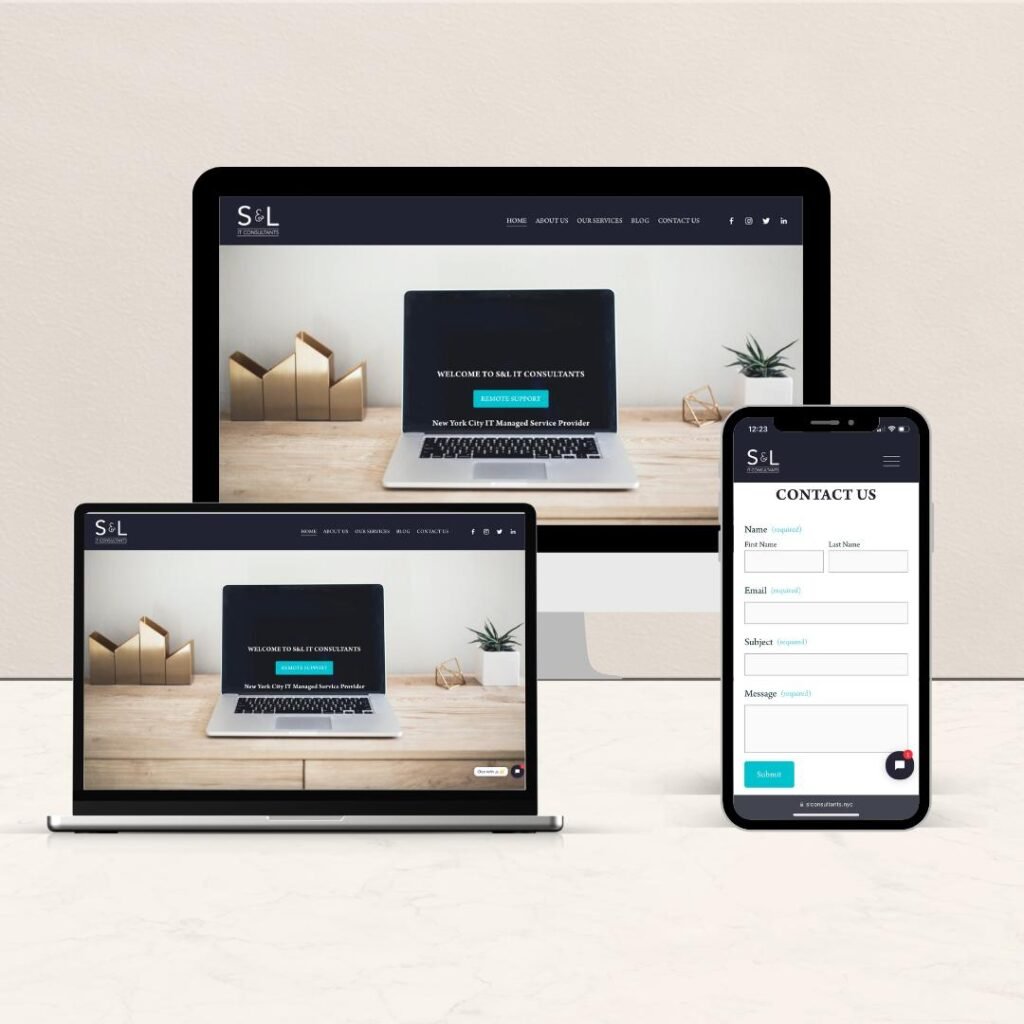
4. Your Landing Page Is Not Clear
A landing page is the page people reach after clicking your ad.
If visitors cannot understand your offer, they may leave without contacting you.
Your page should quickly answer three questions:
- What service do you offer?
- How can it help me?
- How can I contact you?
How to fix it:
Keep your page simple. Use a clear heading, short paragraphs, and a visible contact button.
For example, a page for Google Ads services could start with:
“Get More Customer Enquiries with Google Ads.”
Then explain your service, show how people can contact you, and answer common questions.
Add real examples or customer reviews when available. Do not make claims you cannot prove.
5. Your Website Is Slow or Hard to Use on Mobile
Many people click ads from their mobile phones. If your website loads slowly or is hard to use, they may leave before contacting you.
A page may look good on a computer but work poorly on a phone.
How to fix it:
- Check your website on different mobile phones.
- Make sure text is easy to read.
- Use clear buttons.
- Reduce large image files.
- Remove pop-ups that block the page.
- Make your contact form easy to complete.
Test the page yourself. Click the phone, WhatsApp, and form buttons to make sure they work.
A smooth mobile experience can make it easier for visitors to contact your business.
6. Your Offer Is Not Clear Enough
People need a reason to contact your business. If your page only says “We provide digital marketing services,” visitors may not know what makes your service useful to them.
Your offer should explain what you do and who you help.
How to fix it:
- Explain the main benefit of your service.
- Tell visitors who your service is for.
- Explain what happens after they contact you.
- Make your next step clear.
- Answer common questions about your service.
For example, instead of writing “We offer SEO services,” you could write:
“Improve your website’s search visibility with SEO services for small businesses.”
Use clear language. Avoid claims such as “Guaranteed number one on Google” because no agency can promise a specific Google ranking.
7. Your Contact Form Is Too Long
A long form can make people leave without sending an enquiry.
If you ask for too much information at the start, visitors may not want to complete it.
How to fix it:
Keep your form short. Ask only for the details you need to reply.
For example:
- Name
- Phone number or email
- Service needed
You can ask more questions when you speak with the customer.
Add a clear button, such as “Request a Call” or “Get a Quote.”
If you use a phone number or WhatsApp button, make sure it is easy to find on mobile.
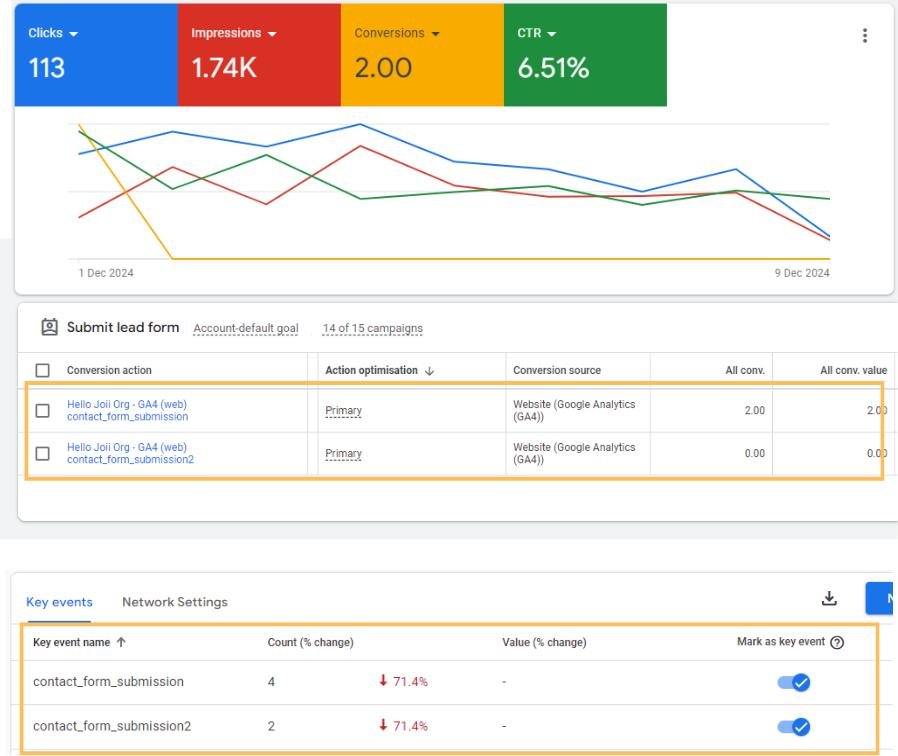
8. Your Google Ads Conversion Tracking Is Not Working
Sometimes, your campaign may get leads, but Google Ads does not record them correctly.
This can happen when conversion tracking is missing, set up incorrectly, or stops working after a website change.
A conversion is an action that matters to your business. It could be a form submission, a phone call, or a purchase.
How to fix it:
- Check your conversion actions in Google Ads.
- Confirm that the right actions are marked as conversions.
- Test your forms and call buttons.
- Check whether successful form submissions are recorded.
- Review your tracking after major website changes.
Do not count every page view or button click as a lead. Track actions that show real interest.
Also, remember that a tracking problem can hide leads in your reports. Check your actual calls, messages, and form entries before deciding that your ads are not working.
9. You Are Not Following Up With Leads
Getting an enquiry is only the first step. If you do not reply, the person may contact another business.
For example, someone may submit a form while comparing three service providers. A quick and helpful reply can make it easier for them to learn about your offer.
How to fix it:
- Check new enquiries regularly.
- Reply as soon as you reasonably can.
- Call people who asked for a call.
- Answer their questions clearly.
- Keep a record of your follow-ups.
If you receive many enquiries, use a simple spreadsheet or customer management tool to track them.
Also, check whether the leads are relevant. A campaign that brings fewer but more suitable enquiries may be more useful than one that brings many people who do not need your service.
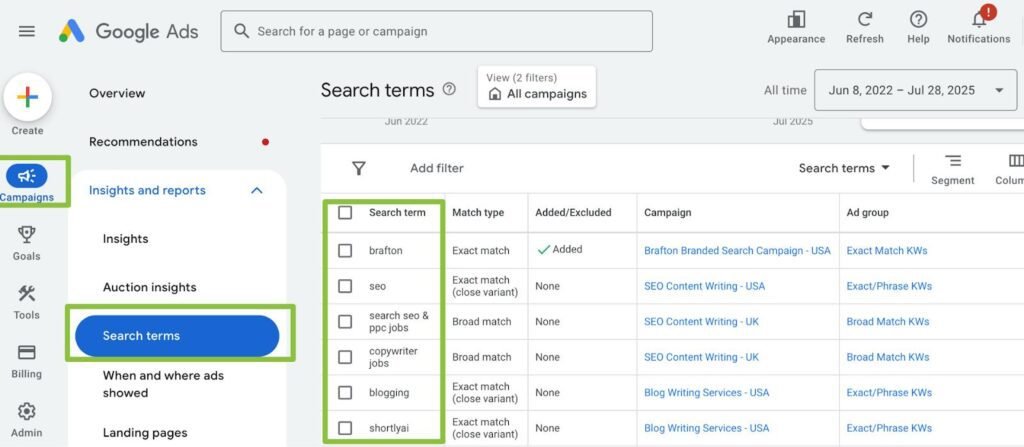
How to Check Why Your Google Ads Are Not Getting Leads
Before making big changes, review your campaign step by step.
| What to check | What it can tell you |
|---|---|
| Search terms | Whether people are searching for the right things |
| Location settings | Whether your ads reach your service area |
| Ad copy | Whether your message matches customer needs |
| Landing page | Whether visitors can understand your offer |
| Mobile experience | Whether the page works well on phones |
| Conversion tracking | Whether leads are recorded correctly |
| Actual enquiries | Whether the campaign brings useful leads |
Look at the full path from search to enquiry. This can help you find where potential customers are leaving.
How Much Should You Spend on Google Ads?
There is no single budget that works for every small business.
Your budget depends on your service, target area, competition, and the cost of clicks. A business in a competitive market may need a different budget from a business serving a small local area.
Start with a budget you can afford to test.
Then review:
- How much you spend
- How many relevant clicks you get
- How many leads you receive
- How much each lead costs
- How many leads become customers
Do not increase your budget just because clicks are rising. First, check whether the campaign is bringing the right people and whether your website helps them take action.
Google Ads Clicks but No Leads: A Simple Example
Imagine a small business in Noida spends ₹10,000 on Google Ads.
The campaign gets website visitors, but no one fills out the contact form.
The business owner checks the campaign and finds three problems:
- The ads show for searches that are not related to the service.
- The landing page does not clearly explain the offer.
- The contact form is hard to use on a mobile phone.
The owner improves the keywords, updates the landing page, and makes the form shorter.
These changes may help more visitors contact the business. However, the actual result will depend on the market, ad quality, offer, and customer needs.
The lesson is simple: do not focus only on clicks. Find out why visitors are not becoming leads.
How Premium Growth Can Help With Google Ads
Premium Growth is a digital marketing agency serving small businesses in Delhi NCR.
We help businesses plan and manage digital marketing campaigns. Our services include Google Ads, Meta Ads, SEO, social media management, website design, and lead generation.
If your Google Ads are getting clicks but no leads, a review of your campaign may help you find areas to improve.
This can include checking:
- Keywords and search terms
- Ad messages
- Location settings
- Landing pages
- Conversion tracking
- Lead enquiry paths
Every business is different. The right changes depend on your campaign data, website, and goals.
Get Help With Your Google Ads Campaign
Want to review your Google Ads campaign and find ways to improve your lead generation?
Contact Premium Growth to discuss your business goals.
- Website: https://premiumgrowth.in/
- Phone: 8368484815
- Email: contact@premiumgrowth.in/
Call to action: Get in touch with Premium Growth to discuss Google Ads services for your business in Delhi NCR.
Frequently Asked Questions
1. Why are my Google Ads getting clicks but no leads?
Your ads may be reaching the wrong people, using broad keywords, or sending visitors to a page that does not match their needs. A slow website, unclear offer, or broken contact form can also affect leads.
2. How can I get more leads from Google Ads?
Use relevant keywords, write clear ads, and send visitors to a page that matches their search. Make your contact options easy to use and track real enquiries.
3. Are Google Ads clicks the same as leads?
No. A click means someone clicked your ad. A lead is someone who takes an action that shows interest in your service, such as calling, sending a message, or filling out a form.
4. How do I know if my Google Ads are working?
Check relevant clicks, actual enquiries, cost per lead, and the number of leads that become customers. Make sure your conversion tracking is working before relying on the reports.
5. Should I stop Google Ads if I am not getting leads?
Not always. First, check your keywords, search terms, landing page, tracking, and follow-up process. If the campaign is spending money without bringing useful results, review it before spending more.
6. How much should a small business spend on Google Ads?
Your budget depends on your service, competition, target area, and goals. Start with an amount you can afford to test, then review the quality and cost of your leads.
7. Can a digital marketing agency help improve Google Ads leads?
An agency can review your keywords, ads, landing pages, and conversion tracking. It can also help you test changes and measure results. Outcomes depend on your business, market, budget, and campaign.
8. Are Google Ads useful for small businesses in Delhi NCR?
Google Ads can help small businesses reach people searching for their services in Delhi NCR. Results depend on keyword choice, competition, budget, ad quality, and the website experience.
Conclusion
Getting clicks but no leads from Google Ads can be frustrating. But clicks alone do not tell the full story.
Start by checking whether your ads reach the right people. Then review your keywords, ad message, landing page, mobile experience, and contact form. Make sure conversion tracking works and follow up with every useful enquiry.
Make changes based on real data. Test one issue at a time and give each change enough time to measure its effect.
If you need help reviewing your campaign, Premium Growth can help your business explore Google Ads and lead generation services in Delhi NCR.
Visit premiumgrowth.in or call 8368484815 to discuss your goals.
