What Is On-Page SEO? 9 Powerful Ways to Optimize Your Website
If you want your website to appear on Google, you need more than good-looking pages. Your content must be useful, easy to read, and simple for search engines to understand.
This is where on-page SEO comes in.
But what is on-page SEO, and how can it help your business?
On-page SEO is the process of improving the content and elements on your website to help search engines understand your pages. It also helps visitors find the information they need.
For small businesses in Delhi NCR, on-page SEO can help improve website visibility, attract relevant visitors, and support business growth.
In this guide, you will learn what on-page SEO means and discover nine easy ways to improve your website.
Table of Contents
- What Is On-Page SEO?
- Why Is On-Page SEO Important?
- 9 Ways to Improve On-Page SEO
- On-Page SEO Checklist
- Common On-Page SEO Mistakes
- Frequently Asked Questions
- Conclusion
What Is On-Page SEO?
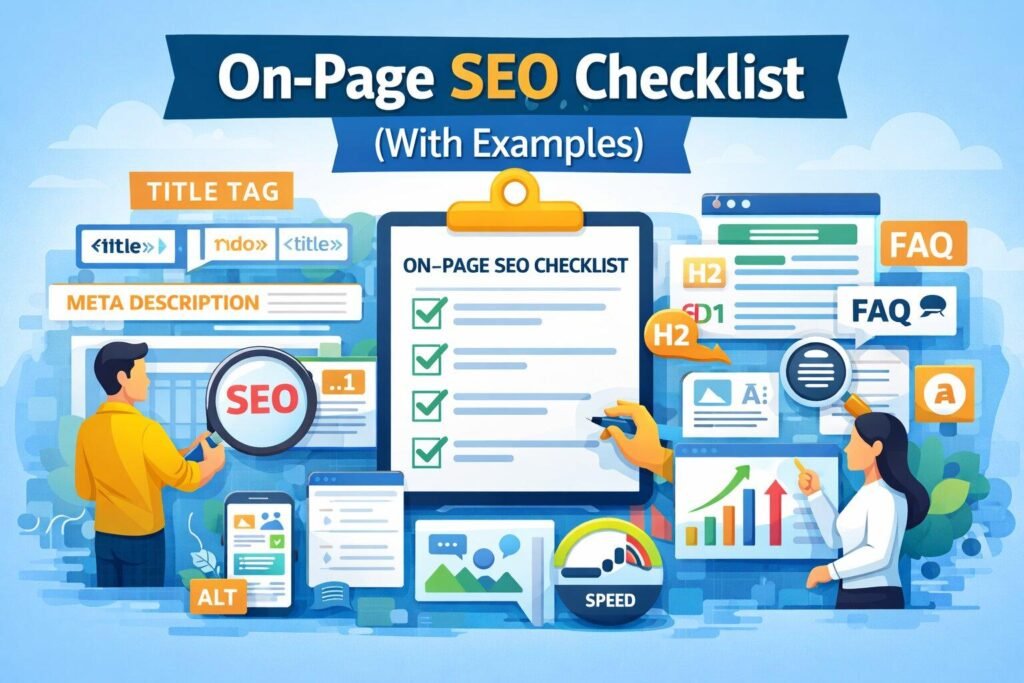
On-page SEO means improving the parts of a webpage that you can control. These include your page title, headings, content, images, links, and web address.
The goal is to help search engines understand your content and help visitors find useful information.
For example, imagine you own a digital marketing agency in Delhi NCR. You have a page about SEO services.
You can improve that page by adding a clear title, explaining your services, using helpful headings, and answering common customer questions.
These changes can make your page easier to understand for both people and search engines.
On-page SEO is one part of a wider SEO plan. Other parts include technical SEO and off-page SEO.
Why Is On-Page SEO Important?
On-page SEO helps you build pages that are useful, clear, and easy to explore.
Here are some key benefits.
1. Helps Search Engines Understand Your Content
Clear titles, headings, and page content help search engines understand what your page is about.
This can help them match your page with relevant searches.
2. Improves the User Experience
Visitors should be able to find answers without working too hard.
Short paragraphs, clear headings, and useful images make your content easier to read.
3. Helps Attract Relevant Visitors
When your page answers the right questions, it can attract people who are interested in your products or services.
For example, a page about website design services can help reach people looking for a website designer.
4. Supports Business Growth
Useful website content can help visitors understand your services and decide what to do next.
You can guide them to contact forms, service pages, or other helpful resources.
Remember, on-page SEO does not guarantee a first-page ranking. Results depend on many factors, including competition, content quality, and your website’s technical health.
9 Ways to Improve On-Page SEO
Now that you understand what is on-page SEO, let’s look at nine simple ways to improve your website.
1. Choose the Right Focus Keyword
A focus keyword is the main search term you want a page to target.
Before writing, think about what your audience may type into Google.
For example, if you offer SEO services in Delhi NCR, possible keywords include:
- SEO services in Delhi NCR
- SEO company in Delhi
- Website SEO services
- On-page SEO services
Choose a keyword that matches your page and the needs of your audience.
You can use tools such as Google Keyword Planner to explore search terms.
Tip: Use your focus keyword naturally. Do not repeat it in every sentence. Your content should sound helpful, not forced.
2. Write a Clear SEO Title
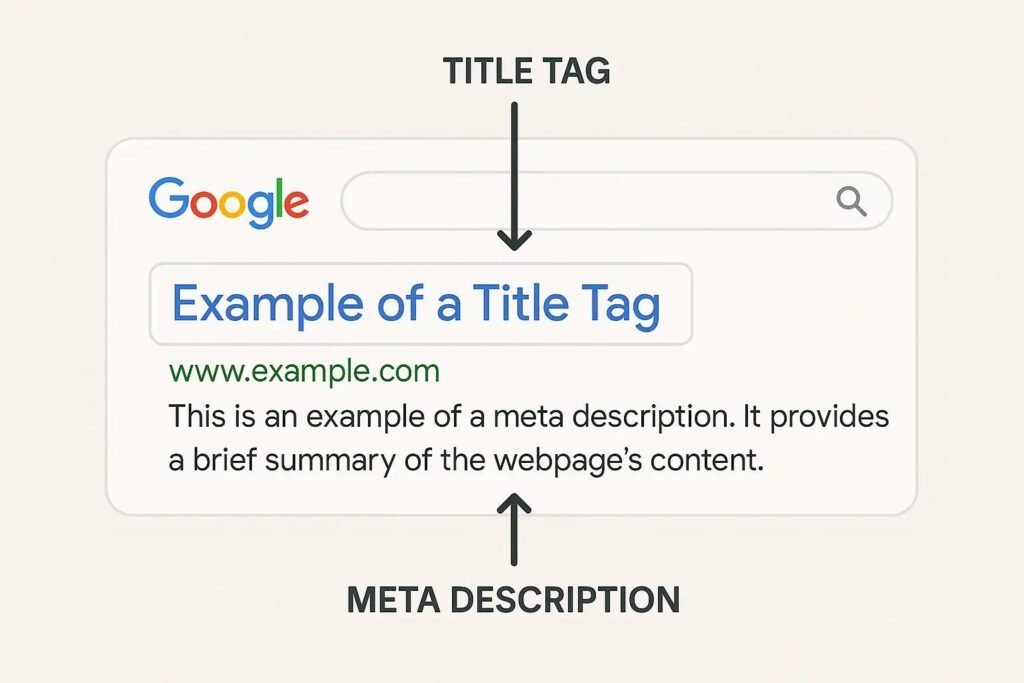
Your SEO title tells people and search engines what your page is about. It may appear as the clickable title in Google search results.
A good title should be clear, useful, and related to the page content.
For example:
- Weak title: SEO Tips
- Better title: What Is On-Page SEO? 9 Easy Ways to Improve Your Website
Try to place your main keyword near the beginning of the title.
You can also use a number or a strong word when it fits the topic.
Keep your title concise. Google may show a different title in search results based on the page and the search.
3. Write a Helpful Meta Description
A meta description is a short summary of your webpage. Search engines may use it to create the description shown under your page title.
A clear description can help people understand what they will learn before they click.
For this article, you could use:
“Learn what on-page SEO is and discover 9 easy ways to improve your website content, titles, links, and user experience.”
Include your focus keyword naturally and explain the value of the page.
Avoid writing a list of keywords. Make the description useful to real readers.
4. Use Proper Headings
Headings break your content into clear sections. They help visitors scan your page and find the information they need.
Use one clear H1 heading for the main page title. Then use H2 headings for the main sections and H3 headings for smaller points.
For example:
- H1: What Is On-Page SEO?
- H2: Why Is On-Page SEO Important?
- H2: 9 Ways to Improve On-Page SEO
- H3: Choose the Right Focus Keyword
Add your focus keyword or related terms to headings when they fit naturally.
Do not add keywords to every heading just to improve an SEO score.
5. Create Useful, Easy-to-Read Content
Good content answers the reader’s questions.
Before writing a page, ask yourself:
- Who will read this page?
- What problem do they want to solve?
- What information do they need?
- What should they do next?
Use simple words and short paragraphs. Explain difficult terms with examples.
For a small business website, include details about your services, process, and the problems you solve.
Avoid copying content from other websites. Write original content that gives readers a clear reason to visit your page.
Remember: There is no fixed word count that guarantees a higher Google ranking. Write enough to cover the topic well without adding unnecessary text.
6. Add Helpful Internal Links
Internal links connect one page of your website to another page on the same website.
They help visitors discover related information and help search engines find other pages on your site.
For example, in a blog about on-page SEO, you could link to:
- Your SEO services page
- Your technical SEO guide
- Your blog about keyword research
- Your contact page
Use clear anchor text that explains what the reader will find.
For example, write “Explore our SEO services” instead of “Click here.”
Add links only when they are useful to the reader.
7. Optimize Your Images
Images can make your content easier to understand. But large image files can slow down your website.
Follow these simple image SEO tips:
- Use descriptive file names.
- Compress images before uploading.
- Use a suitable format, such as WebP.
- Add helpful alt text to meaningful images.
- Use image sizes that fit your page.
- Avoid adding unnecessary images.
Alt text describes an image for people who cannot see it and helps explain its purpose.
For example, if an image shows a webpage with headings and a title tag, suitable alt text could be:
“On-page SEO elements including webpage title and headings.”
Do not add a long list of keywords to the alt text. Describe what is actually shown.
8. Make Your Website Easy to Use on Mobile
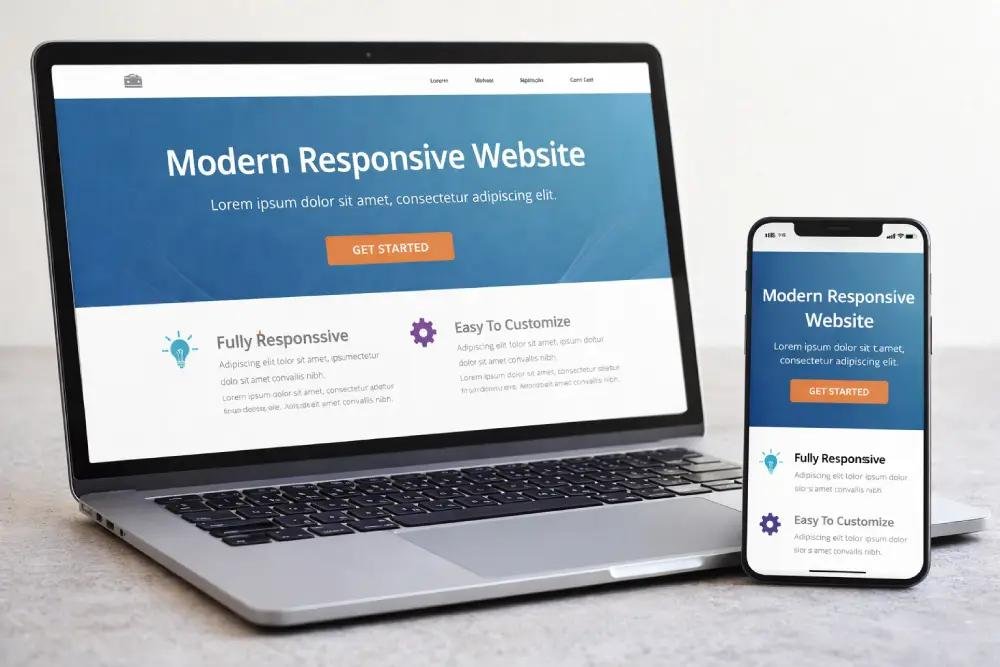
Many people visit websites on their phones. Your pages should work well on small screens.
Check that:
- Text is easy to read.
- Buttons are easy to tap.
- Images fit the screen.
- Menus work properly.
- Contact forms are simple to complete.
- Pages load without unnecessary delays.
A mobile-friendly website makes it easier for visitors to explore your services.
You can use Google’s PageSpeed Insights to check page performance and find areas to improve.
9. Improve Your URLs and Page Links
A URL is the web address of a page.
A clear URL helps people understand what a page is about.
For example:
- Less clear:
premiumgrowth.in/page?id=123 - Clearer:
premiumgrowth.in/what-is-on-page-seo/
Keep URLs short, readable, and related to the page topic.
Use words that describe the content. Separate words with hyphens, and avoid adding unnecessary numbers or keywords.
If you change the URL of an existing page, set up a suitable redirect from the old URL to the new one. This helps visitors and search engines reach the correct page.
On-Page SEO Checklist
Use this checklist before publishing a blog or service page.
Pre-Publish Checklist
0 of 10Add the focus keyword to the SEO titleWrite a clear meta descriptionUse the focus keyword near the beginningAdd a clear H1 and organized H2/H3 headingsWrite useful, original contentAdd relevant internal linksAdd helpful external links where neededCompress images and write accurate alt textCheck the page on mobileUse a short, descriptive URLReset checklist
Common On-Page SEO Mistakes to Avoid
Even small mistakes can make your pages less useful. Avoid these common problems.
Keyword Stuffing
Do not repeat the same keyword again and again. Use natural language and related terms.
Duplicate Content
Avoid publishing the same content on many pages. Each page should offer its own value.
Missing or Weak Page Titles
Every important page should have a clear title that describes its content.
Poor Internal Linking
Do not leave important pages hard to find. Link to related pages where it helps the reader.
Ignoring Page Speed
Large images and unnecessary scripts can slow down your website. Check performance and fix issues that affect users.
Writing Only for Search Engines
Your main goal should be to help people. A page that answers questions clearly is more useful than one filled with keywords.
Frequently Asked Questions About On-Page SEO
1. What is on-page SEO in simple words?
On-page SEO means improving the content and elements on your website to help search engines understand your pages and help visitors find useful information.
2. What are the main parts of on-page SEO?
The main parts include page titles, headings, content, keywords, internal links, URLs, images, and the overall page experience.
3. Is on-page SEO important for small businesses?
Yes. It can help small businesses create useful pages, improve search visibility, and reach people looking for their products or services.
4. What is the difference between on-page SEO and off-page SEO?
On-page SEO focuses on changes made on your website, such as improving content and titles. Off-page SEO focuses on activities outside your website, such as earning relevant backlinks and building your brand’s reputation.
5. How many times should I use my focus keyword?
There is no perfect number. Use your focus keyword where it makes sense, such as in the title, introduction, and relevant sections. Avoid repeating it unnaturally.
6. How long does on-page SEO take to show results?
There is no fixed timeline. Results depend on your website, competition, content, and other SEO factors. Keep improving your pages and track their performance over time.
7. Can I do on-page SEO myself?
Yes. You can start by improving titles, headings, content, images, and internal links. SEO plugins can help you check common page elements, but their scores do not guarantee rankings.
8. Which tools can help with on-page SEO?
Google Search Console, Google Keyword Planner, and PageSpeed Insights can help you review search performance, research keywords, and check website speed. SEO plugins can also help you manage titles and meta descriptions.
How Premium Growth Can Help With On-Page SEO
At Premium Growth, we help businesses improve their online presence through SEO and digital marketing.
Our SEO services can help you improve important parts of your website, including:
- Keyword research
- Content optimization
- Page titles and meta descriptions
- Heading structure
- Internal linking
- Image optimization
- Technical SEO
- Website performance
If your business wants to reach more customers online, visit Premium Growth to learn about our digital marketing services.
We work with businesses looking to improve their website visibility and build a stronger online presence in Delhi NCR.
Conclusion
On-page SEO helps you create website pages that are clear, useful, and easy for search engines to understand.
Start with the basics: choose the right keyword, write a clear title, organize your headings, and create helpful content. Then improve your images, links, URLs, and mobile experience.
You do not need to make every change at once. Work through the checklist and improve your most important pages first.
Want to improve your website’s SEO? Explore the SEO services offered by Premium Growth and take the next step toward building a stronger online presence.
